
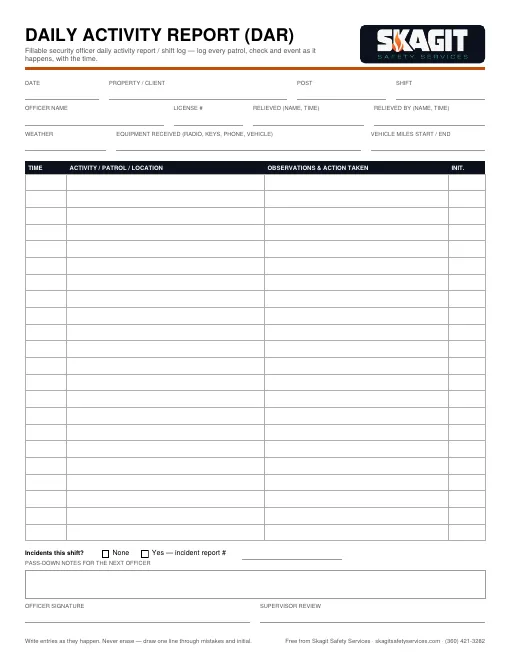
How to fill it out
- Log entries as they happen, with the time — not at the end of the shift.
- Note every patrol, door check, delivery, visitor and call.
- Never erase. Draw one line through a mistake and initial it.
- Reference any incident report numbers from the shift.
- Leave clear pass-down notes so the next officer knows what to watch.
What is a daily activity report?
A Daily Activity Report (DAR) is the running log a security officer keeps for the whole shift. It proves to the client what was done and when, it helps the next officer pick up where you left off, and it is the first thing anyone pulls after something goes wrong.
What to log
- Start of shift: who you relieved, equipment and keys received, weather.
- Every patrol or round, with the area covered.
- Doors, gates and alarms checked — and anything found open.
- Visitors, deliveries, contractors and calls.
- Hazards, maintenance problems and lighting outages.
- Incidents, with the incident report number.
- End of shift: pass-down notes and who relieved you.
Example entries
22:00 — On post. Relieved J. Ortiz. Received radio #2, key ring B, phone. Clear, 41°F.
22:30 — Exterior patrol, lots A–C. Light pole 7 out in lot B. Reported to manager by text.
23:45 — Door D3 found unlocked. Checked inside, no one present. Secured.
General guidance, not legal advice. Follow your client’s post orders and your company’s procedures.